Irreversible Action
How to Delete Your Flint Account
Follow these simple steps to permanently delete your account from the Flint app.
Important to Know
- All your personal data will be permanently deleted
- Your delivery history will be lost
- You will no longer be able to access your ongoing orders
- This action cannot be undone
1
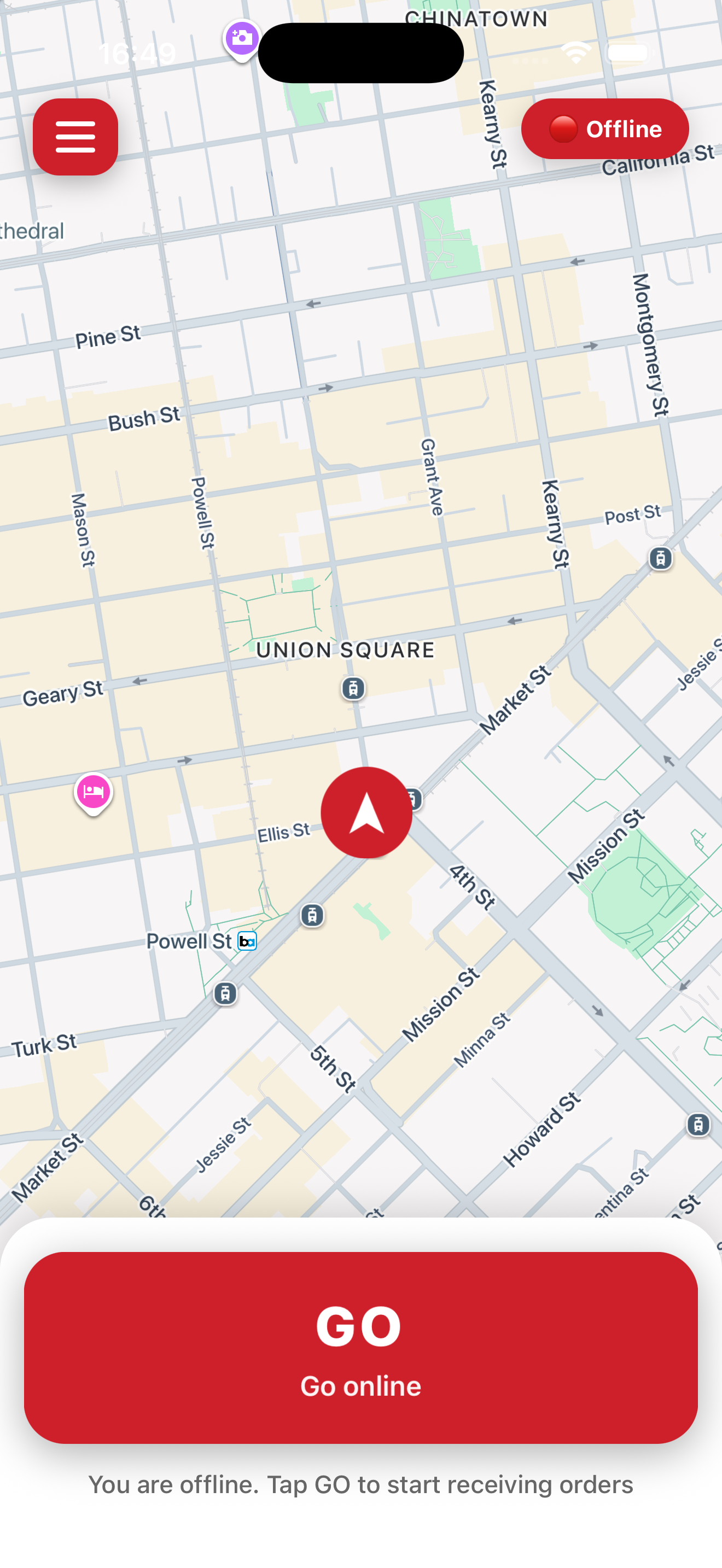
Open the Flint App
Launch the Flint app on your phone and make sure you are logged into your account.
2
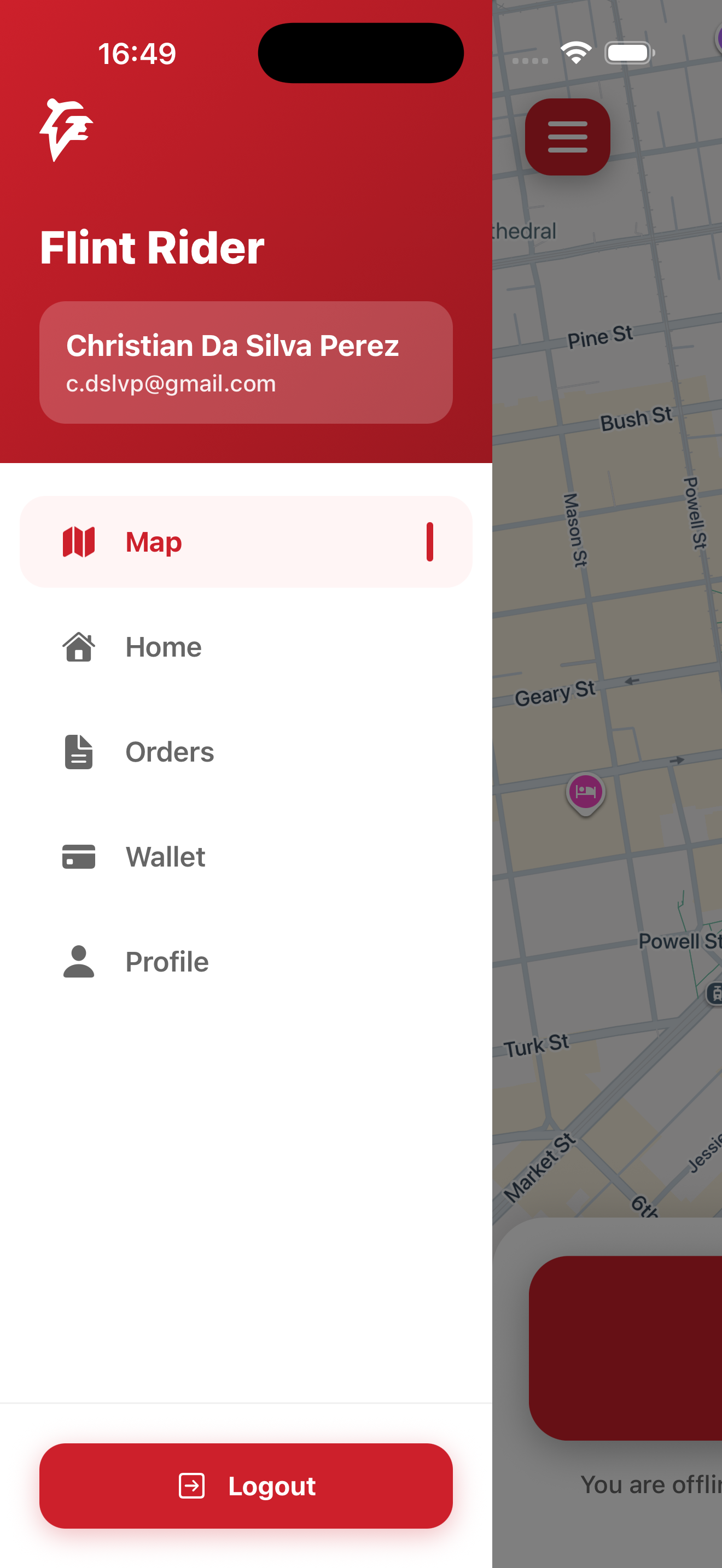
Access Your Profile
Tap the icon at top left of your screen, then pressn profile
3
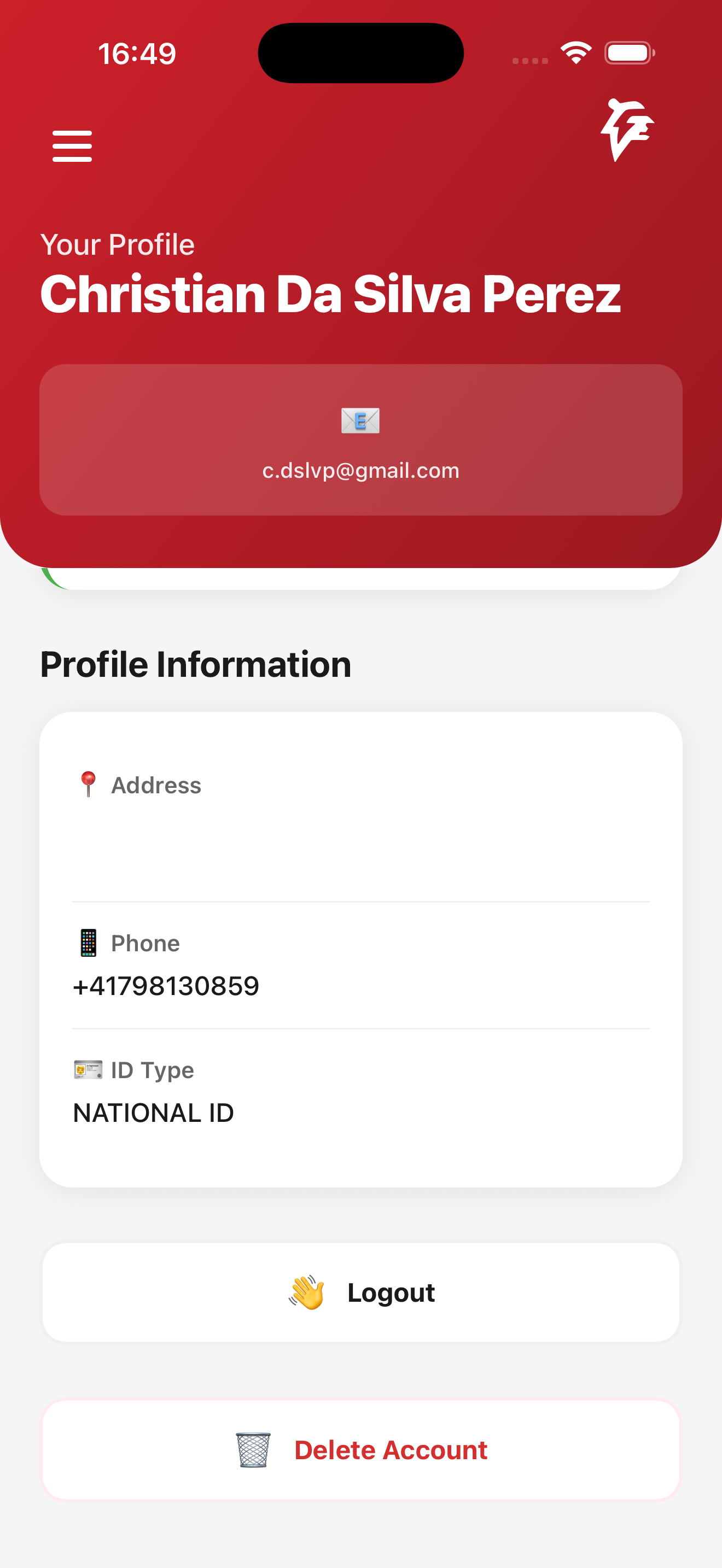
Delete your account
Scroll down then click on "Delete Account" button
Frequently Asked Questions
Can I recover my account after deletion?
No, the deletion is permanent. All your data is immediately and irreversibly deleted from our servers.
What happens to my ongoing orders?
Ongoing orders will be cancelled. We recommend waiting for all your deliveries to complete before deleting your account.
Can I create a new account with the same email?
Yes, after 30 days, you can create a new account with the same email address. It will be a completely new account with no history.
Need help?
If you encounter any difficulties, contact our customer support. We are here to help.